VTD – AI software for automatic video translation & voiceover
Automatic payment - Get download link instantly
You are creating content for Reup, Movie Review, Building TikTok, YouTube Shorts channels targeted abroad but facing major barriers regarding Language and Cost of hiring voiceover talent?
You want to turn a Chinese, English, Korean, Japanese video… into a Vietnamese dubbed video with natural-sounding voices in just a few minutes while keeping the original background music and sound effects intact?
VTD — Video Translation & Voiceover Tool is the ultimate “all-in-one” AI solution for you! Built on advanced offline artificial intelligence (AI) technology and integrating the most modern Large Language Models (LLMs), VTD helps you mass-produce high-quality videos without monthly operating costs.
Instant App Launch (Plug & Play)
- Download the VTD software folder to your Windows computer.
- Extract the ZIP folder to any drive (Example:
D:\VTD). - Double-click directly on the file **
VTD.exe** to launch the application immediately without needing to install any other system libraries!
🌟 EXCLUSIVE CUTTING-EDGE FEATURES OF VTD v1.0
1. 🎙️ Vocal Separation & Background Music Retention Technology (Demucs AI)
Unlike ordinary video translation tools that destroy the original audio of the video, VTD integrates Demucs AI (the world's leading audio source separation technology):
- Automatically separates the original voice from the background music and sound effects (BGM & SFX).
- Overdubs the new narration precisely over the old voice position while the background music, engine noises, thunder, laughter... remain 100% intact..
2. 🤖 Super Accurate AI Extraction & Multilingual Translation
- Speech-to-Text (STT): Use the Faster-Whisper extremely powerful offline. Supports models ranging from ultra-lightweight (tiny, base) to highly specialized and accurate for Vietnamese (medium, large-v3).
- Smart Translation: Supports completely free offline translation with NLLB-200 (Meta AI) or translate using Gemini AI / QTran-Gemini (optimizing grammar and natural phrasing like a human translator).
- Glossary (Advanced Dictionary): Allows you to build your own terminology library by topic (e.g., Xianxia, Wuxia, Technology…). The AI will automatically translate accurately based on your context.
3. 🔊 Natural, Emotionally Expressive AI Voiceover (Piper TTS)
- Integrated Piper TTS (ONNX) ultra-fast offline mode.
- Provides a diverse collection of voices (Southern and Northern Vietnamese, male and female) with natural intonation and proper pauses, completely free of any “robot-like” sound.
- Smart Audio Sync: Automatically adjusts the speed of the AI voice to perfectly match the timecode of the speaking character in the original video.
4. ✏️ Interactive Translation Editor
Before exporting the final video, VTD provides an extremely intuitive editing interface so you can take full control of your product:
- You can easily edit individual translated sentences and adjust the start/end timecodes for each line.
- Freely change the voice for individual sentences or adjust the speaking speed separately to achieve perfection.
5. 🖼️ Video Frame & Vertical Video Design (Canvas Editor)
An exceptionally optimized feature for mobile content creators on platforms like TikTok, Shorts, and Reels:
- Convert to 9:16 Vertical Aspect Ratio: Automatically centers horizontal (16:9) videos within a vertical frame.
- Insert Custom Background Images: Fill the top and bottom empty spaces with artistic blurred background images or your own custom designs.
- Catchy Titles (Top/Bottom Text): Automatically renders titles at the top and bottom with auto-line-wrap technology and striking text border shadows.
- Custom Subtitle Styles: Choose Vietnamese fonts (Arial, Segoe UI, Impact…), adjust font size, apply advanced HSL color blending, and create professional opaque boxes.
- Watermarking: Supports inserting text or image watermarks with adjustable opacity to protect your video copyright.
6. 🛠️ Practical Content Creator Support Features
- Video Trimming: Select the desired time range to work on (e.g., from minute 01:00 to 03:00) directly on the app.
- Insert Outro & Midroll Ads: Allows inserting introductory clips/images at the end of the video or placing ads in the middle of the video at predetermined timestamps.
- On-Screen Text Scanning (OCR): Integrated EasyOCR / PaddleOCR to scan and translate text appearing on the original video screen, automatically supplementing missing subtitles.
💻 MODERN INTERFACE – TECH-FORWARD DESIGN
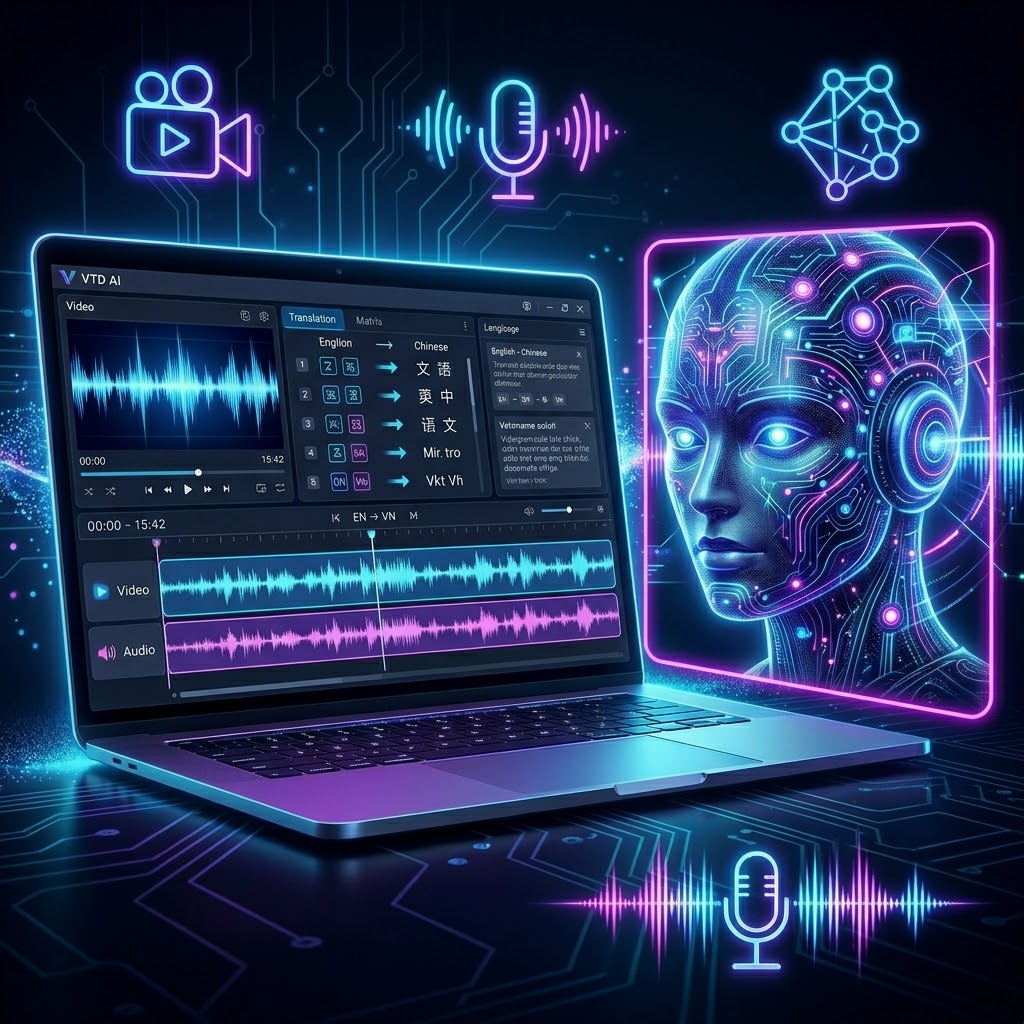
VTD features an interface built on the library CustomTkinter premium, delivering a minimalist and professional experience:
- Luxurious Dark Mode, reducing eye strain when working at night.
- Scientific Tab-based Layout: Translate Video ➡️ Edit Translation ➡️ Adjust Video Frame ➡️ Glossary Library ➡️ Advanced Settings.
- Features a convenient System Tray background task manager that lets you hide the application to the taskbar when rendering heavy videos without worrying about accidental closure.
⚙️ RECOMMENDED SYSTEM REQUIREMENTS
| Operating System | Windows 10 / 11 (64-bit) |
| RAM | Minimum 8GB (16GB recommended for smooth AI model performance) |
| Processor (CPU) | Intel Core i5 10th Gen or AMD Ryzen 5 and above |
| Graphics Card (GPU) | Nvidia GPU can be used to speed up translation (optional) |
| Network Connection | Active Offline 90% (Internet only required when using Gemini translation) |
🎁 WHY SHOULD YOU BUY VTD AT GIAODIENWP.NET?
- Lifetime ownership, no maintenance fees: Buy once, use for life. Freely configure your own free Gemini API Key or run completely offline without consuming server resources.
- Smart License Activation: Strictly secured License Key system tied to the Machine ID, ensuring absolute safety with no risk of being bypassed or pirated.
- Extremely simple installation: Includes instructional files and automated environment setup scripts. Just click and run!
📥 DELIVERED PACKAGE INCLUDES:
- Full application Source Code written in Python, highly optimized and easy to upgrade.
- Complete UI interface with a pre-built executable file (.exe) to run immediately.
- Detailed step-by-step instruction file for installing offline libraries (Whisper, NLLB, EasyOCR, Piper TTS).
No update information available for this product yet.
Quality Commitment
- 100% clean code, no viruses
- Thoroughly tested on all devices
- High-speed Google Drive download link
- Support for demo-like installation